You don't need to fill in a contact form or wait for a sales call to find out whether we can help. You describe what you're working on, and within a few minutes you have a first sketch, an indicative price and, if you like, a call in the diary. This is a walk through every step, with screenshots of what you'll see.
The example below is a made-up company: a 60-person heat pump and solar installer that wants an AI assistant to answer support questions from its product manuals and draft replies to customer emails.
1. Start with a question
Type your question in the chat on our homepage. There's no form and no sign-up. You can chat for a few messages before we ask for your email.
The assistant is an AI that knows our services, our past work and how we price projects. It runs on an open model on our own hardware in the Netherlands, so your words don't go to an outside AI provider. If you're curious, switch on Show how it works: for every answer you'll see which notes it read, which tools it used and how long the model took.
When it needs details that change the size of the project, it asks up to three quick questions. Tap an answer, type your own or skip. Skipping is fine.

2. Keep track in "Your project"
Next to the chat (behind the ring in the header on a phone), Your project shows what we've covered so far: the problem, scope, similar work, a sketch, an estimate, timing and budget, a project plan and an intro call. There's no fixed order. Tap a grey topic and the assistant picks it up.
3. A first sketch, with the hard parts
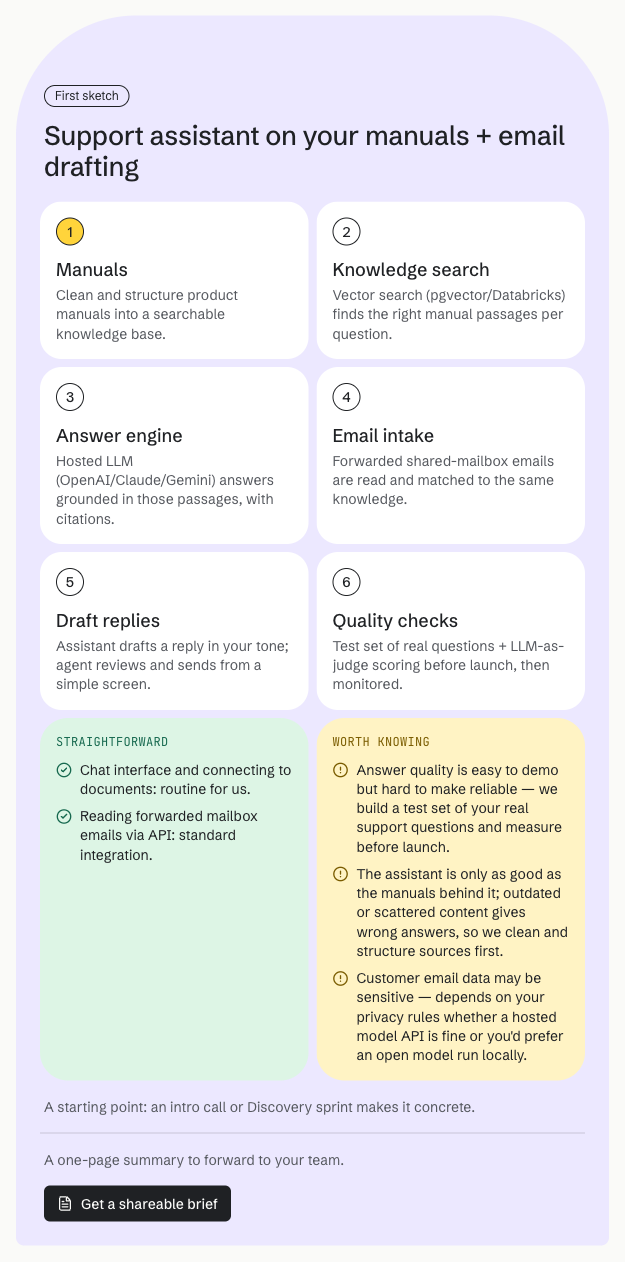
Once the problem is clear, the assistant draws a first sketch of how we'd build it, in two to six steps. Under it are two lists: what's straightforward and what's worth knowing. The second list covers the parts that are hard, why they matter for you and how we'd handle them. We'd rather you hear about the hard parts now than halfway through the project.
4. An indicative price, from a calculator
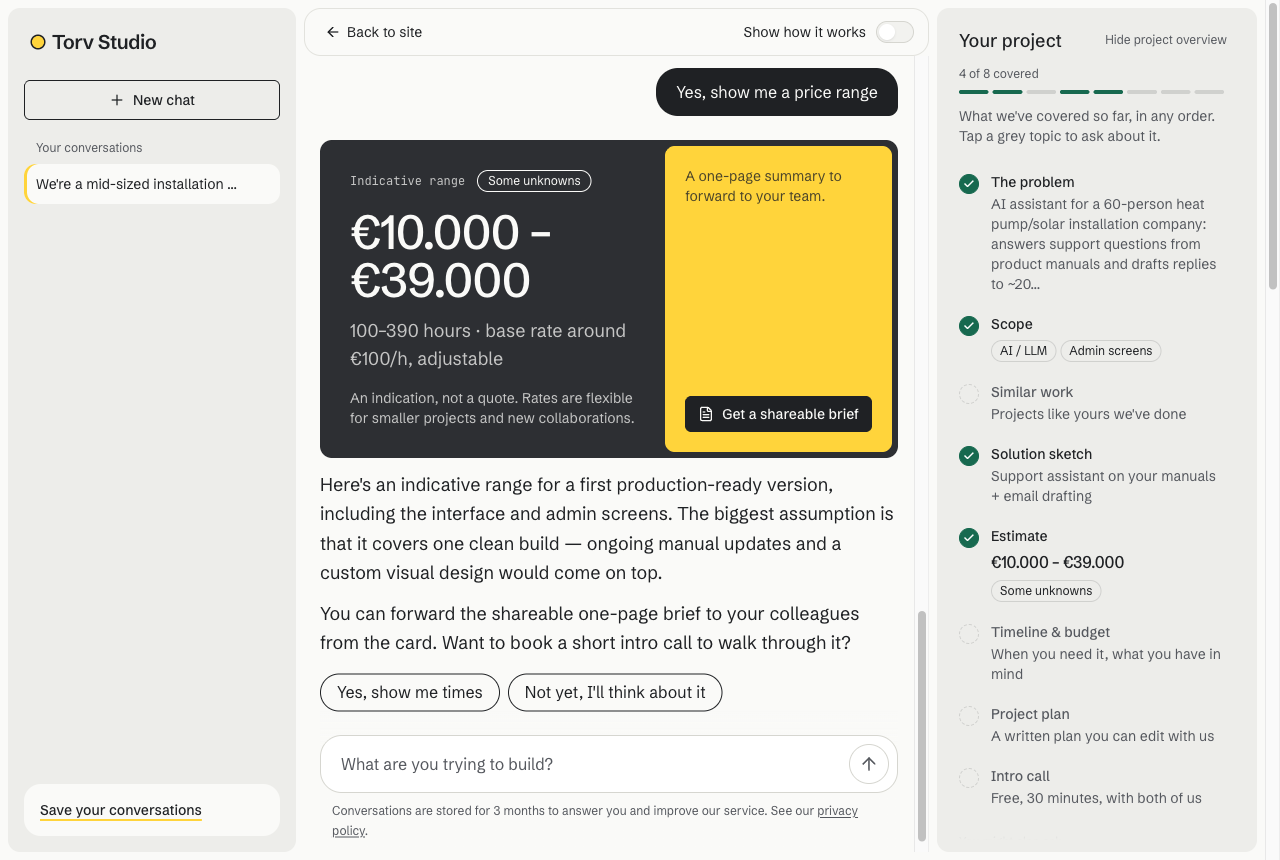
Ask what it would cost and you get a range in hours and euros. That number doesn't come from the AI. A small calculator works it out from the size of the project: platform, integrations, accounts, design and so on. The assistant only explains it. The card also shows how sure the range is.
It's an indication, not a quote. The real price comes after we've talked, as a fixed price or by the hour.
5. A brief to share with your team
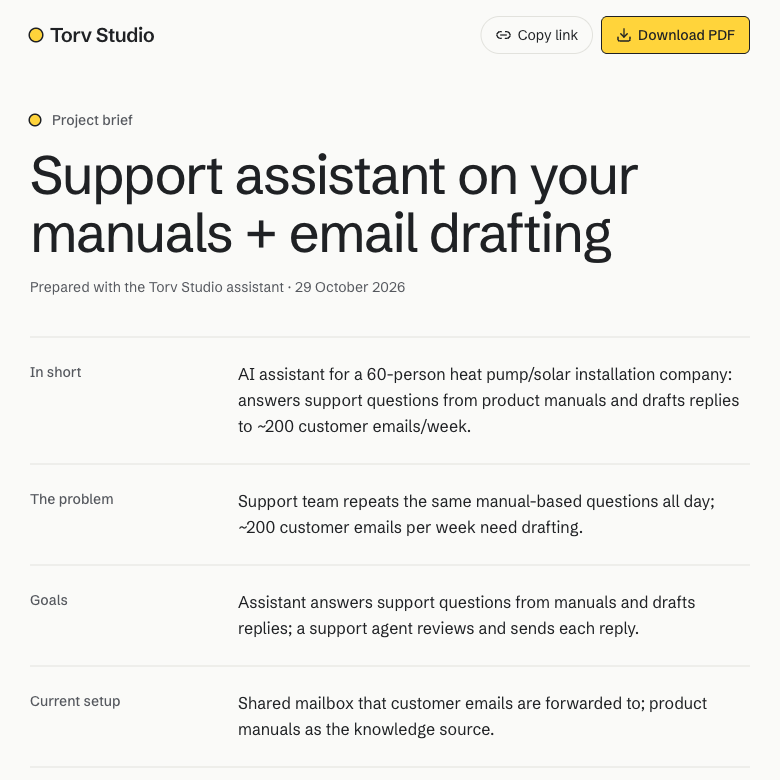
Most projects need someone else to say yes. Get a shareable brief turns the conversation into a one-page summary: the problem, goals, the sketch and the indicative range. It sits behind a private link that you can forward or save as a PDF. Your contact details aren't on it.
6. A free written project plan
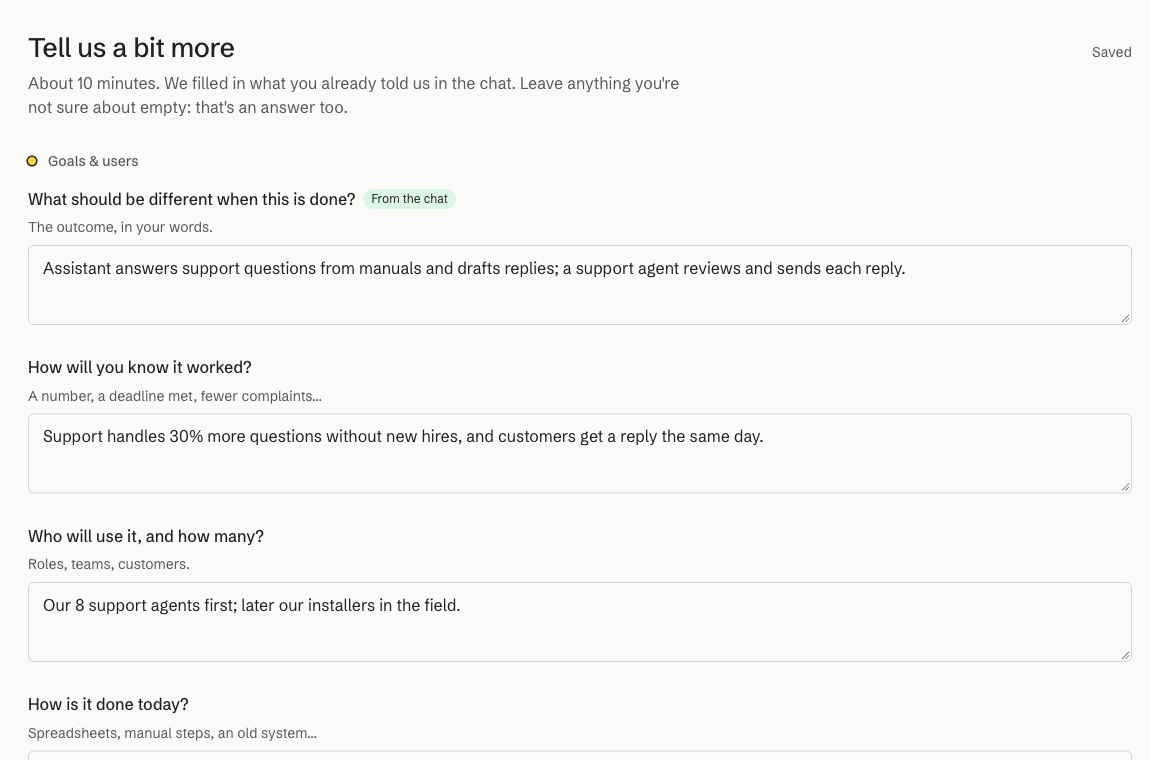
For a more serious look, ask for a project plan. It starts with a longer form that takes about ten minutes. Anything you already told the assistant is filled in and marked "From the chat", and you can leave any answer empty if you're not sure. You'll need to leave your email at this point, so the plan is saved to it and you can come back from any device.
If you want, the AI then asks questions picked for your project, each with a short "why we ask". Most come from our own list of questions that matter for this type of work.
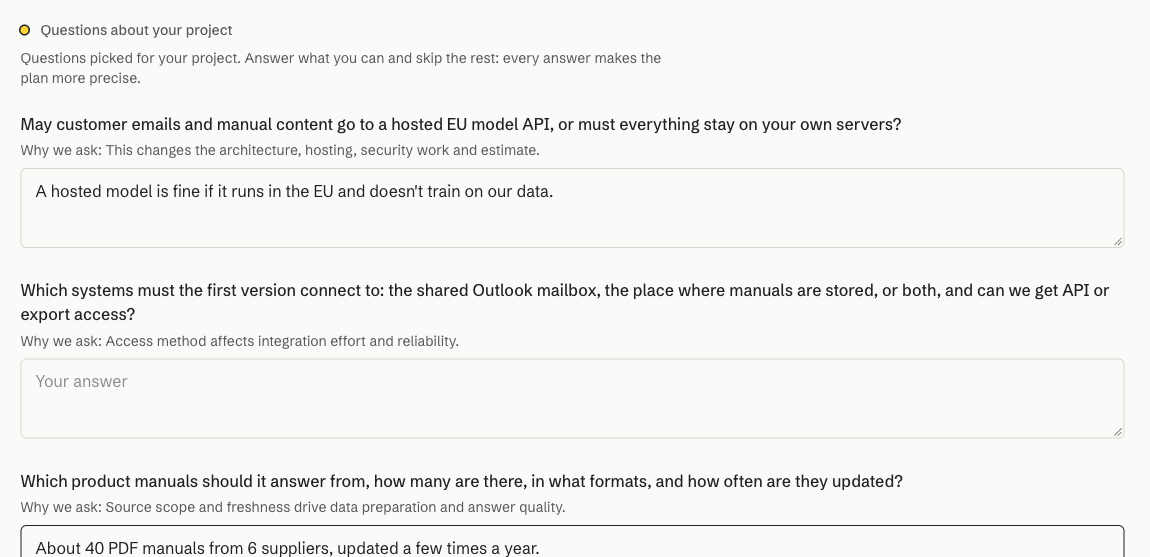
Then the plan writes itself, section by section, in a few minutes: goal and success measures, scope (what's in and what's out), approach, phases, easy parts and watch-outs, and open questions. The effort at the bottom again comes from the calculator.
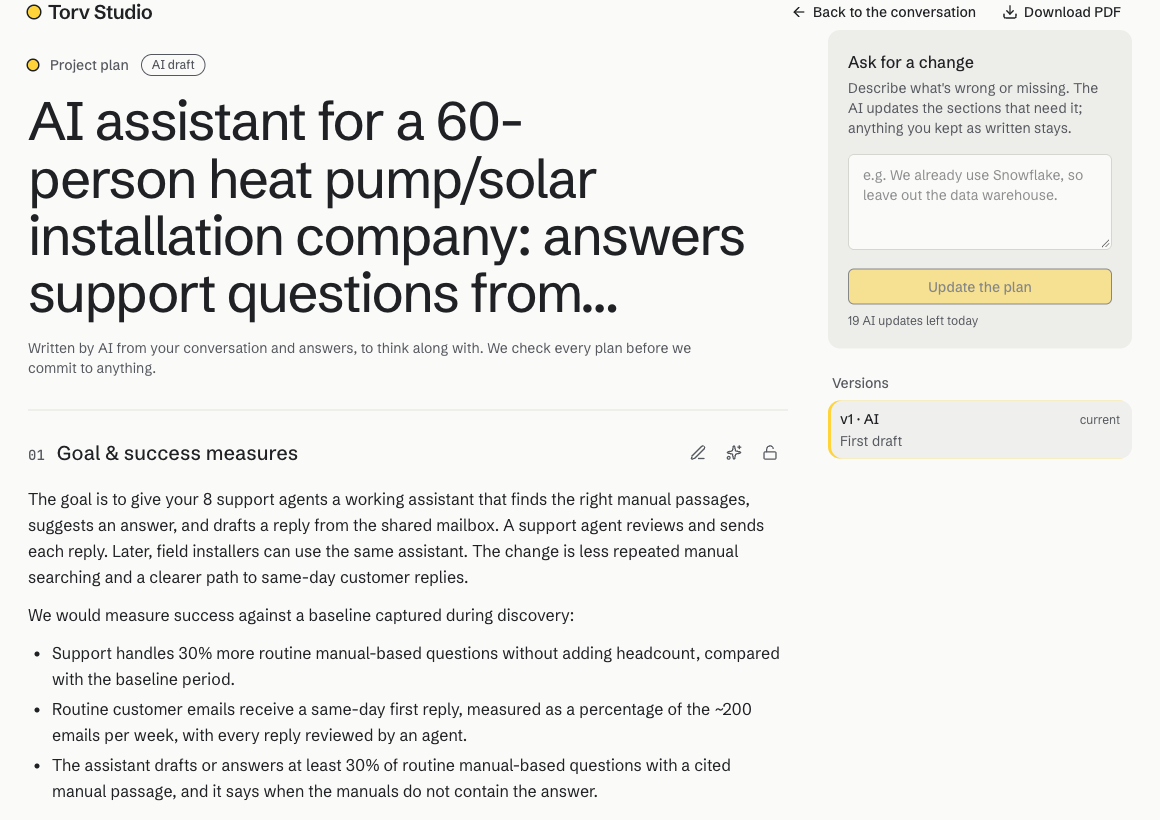
The plan is yours to shape:
- Edit any section by hand. Your text is then kept as written, and the AI leaves it alone unless you ask it to change that section.
- Ask for a change in your own words, for the whole plan or one section. The AI updates what needs updating and tells you what it changed.
- Every change is a version, so you can look back and restore an earlier one.
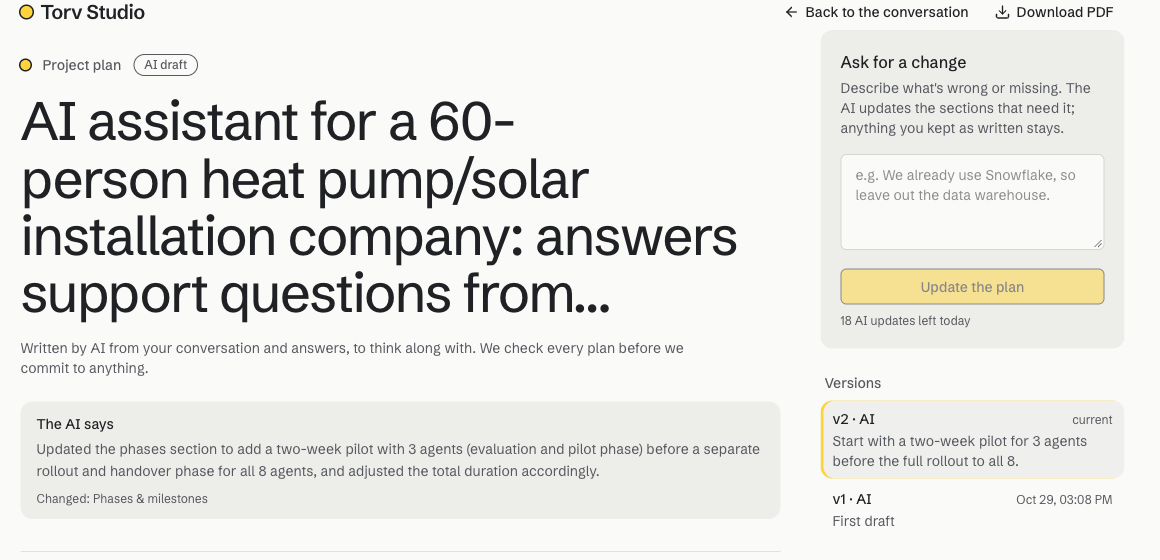
Each plan is labelled AI draft until one of us has read it and marked it reviewed. It's a free first draft that feeds a shorter, paid Discovery sprint if you go ahead.
7. Book a free intro call
Whenever you're ready, ask for a call. The assistant shows our free times for a 30-minute video call. Pick one, confirm, and nothing is booked until you press the button.

You get a confirmation email with a calendar invite, a video-call link and a link to cancel if your plans change, plus a reminder the day before. We get the brief, so on the call we can skip the basics and talk about your project.
8. Your project room
When a project goes further, we open a project room: one private page for you, your colleagues and us. Sign in with your email and it shows:
- the project plan and the indicative effort
- notes and meetings, such as what we agreed on a call (you can add your own)
- documents: briefs, data samples, designs. The AI can read PDF, Word, Excel, PowerPoint and text files when it refines the plan.
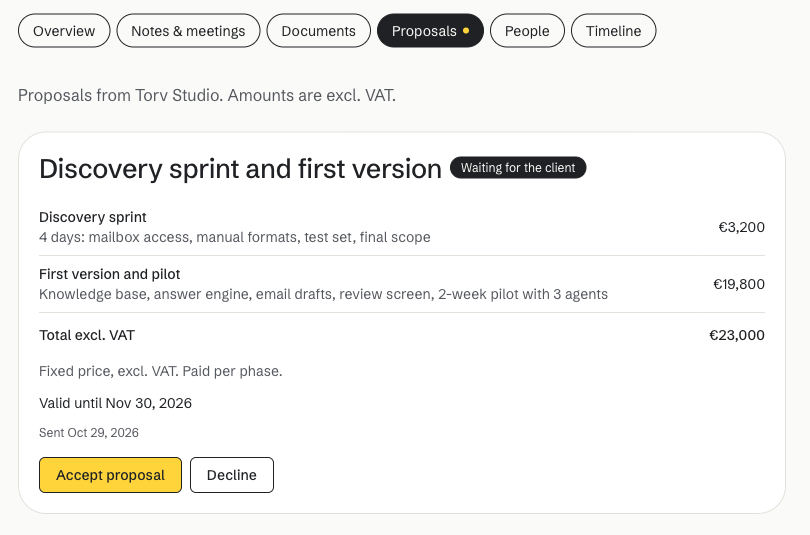
- proposals, which you can accept or decline right there
- who's in the room, and a timeline of what happened
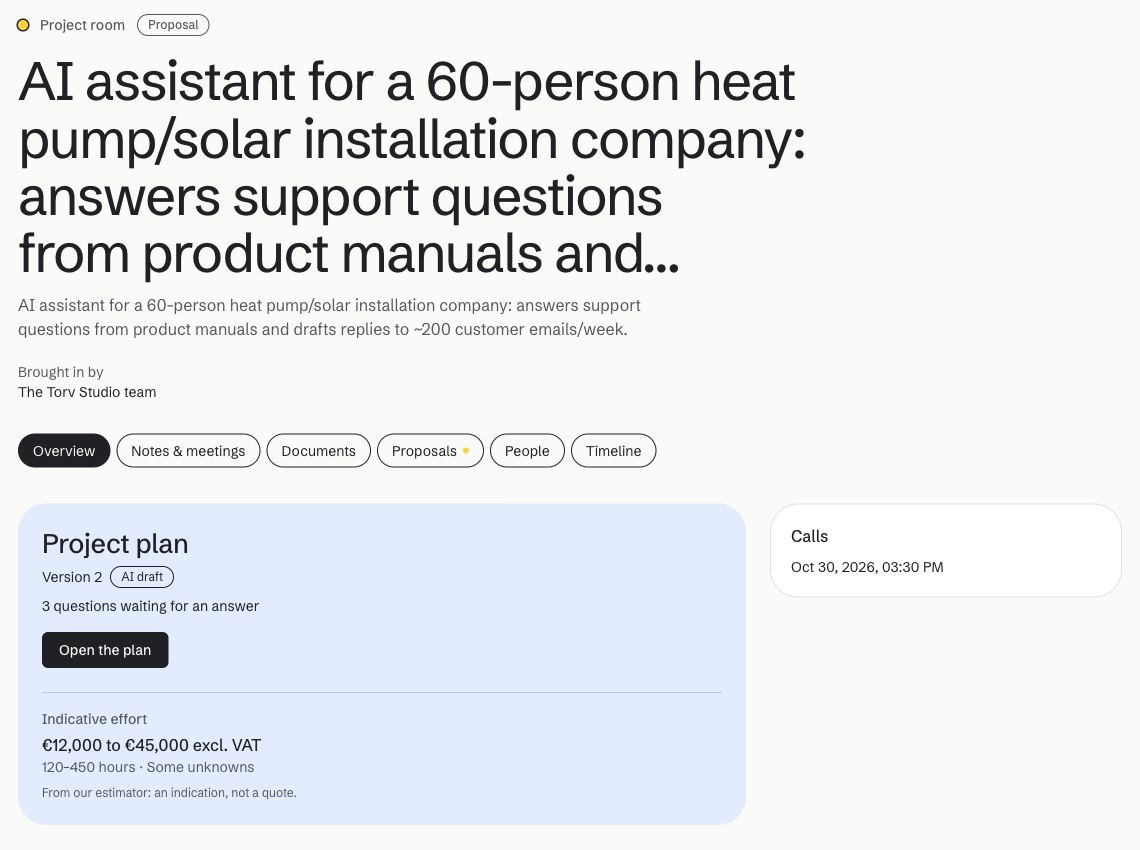
Everything in the room has a visibility. You only see what's shared with you, and anything you add is shared with everyone in the room. When the AI helps with something you'll see, such as the plan, it only uses shared material.
Proposals are written by us, not by the AI. You'll find them in the room with every line and amount, and you get an email when one is ready.
What happens to your conversation
- Who reads it? Once you've left your email and your project looks like a fit, or when you book a call, we get an email with a short summary, and we read the conversation before we talk. We also read every project plan.
- Where does it run? On our own hardware in the Netherlands. The site and database are hosted in the EU.
- How long do we keep it? Conversations are deleted after three months, along with any brief you shared. A project room stays while the project is open and is removed a year after it's closed or archived.
The privacy policy has the details.
Prefer to talk to a person?
That's fine. Ask the assistant to book a call and it shows our free times, or email us at the address at the bottom of every page. The chat is there to save you time, not to stand between you and us.